
Rolling out new security initiatives is never easy. After going through the painstaking process of evaluating and procuring a product that meets your data-centric security needs, you need to buckle up for more challenges. You need to ensure that employees use the product to its full potential. That’s possible only when the employees know how to use the product and find it easy. Needless to say, you need to have a robust training program that helps employees/end users get acquainted with the product.
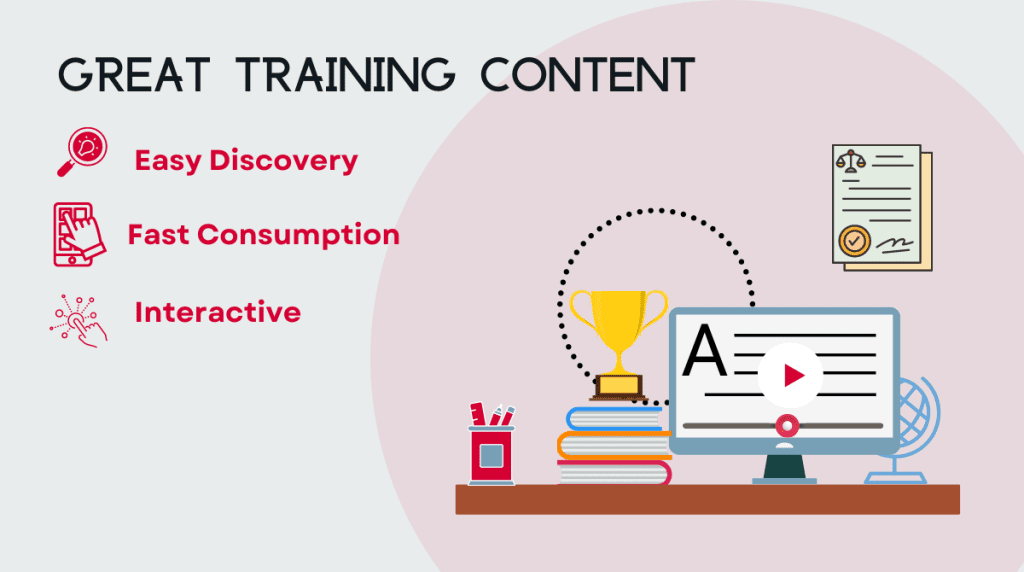
You may want to add some training content to your knowledge base based on how your training framework works. However, that’s rarely enough to get the attention of the end users. For end users to be interested in the training content, they should be able to discover it, quickly consume it easily, and even interact with it.
To help you provide this experience to your end users, Seclore offers self-guided walkthroughs of specific features of our product.
Change the way you train your end users
With guided walkthroughs, end users get a hands-on and interactive experience of the features before they work with the product. Furthermore, annotated instructions help users understand each step and guide them to the next one. Users can also go back to previous actions and repeat certain functions till they get the hang of it.
Here are some more benefits guided walkthroughs can offer:
- Helps users stay focused: The walkthroughs expose users to specific flows and features. Users can go through certain steps in a particular order, preventing them from getting lost or overwhelmed while using the product for the first time in production.
- Available anywhere, anytime: It’s difficult for most users to break out from a packed calendar and spare time to learn how a new product works. With guided walkthroughs, they can learn the essential features, like protecting files and emails in self-serve mode whenever they get time. It’s always available online, and they can pick up where they left off.
- Saves training overhead: With a lot on your plate, you may find it challenging to dedicate time to training. Guided walkthroughs help you reduce your training overhead. By allowing end users to train themselves using the walkthroughs, you can focus on the core aspects of rolling out Seclore without spending time creating engaging training content.
Currently, the Seclore Adoption Portal consists of guided walkthroughs for some of the core features of Seclore, such as:
- Protecting files and emails
- Opening files and emails
- Signing in to Seclore for the first time
Here’s how a walkthrough looks.
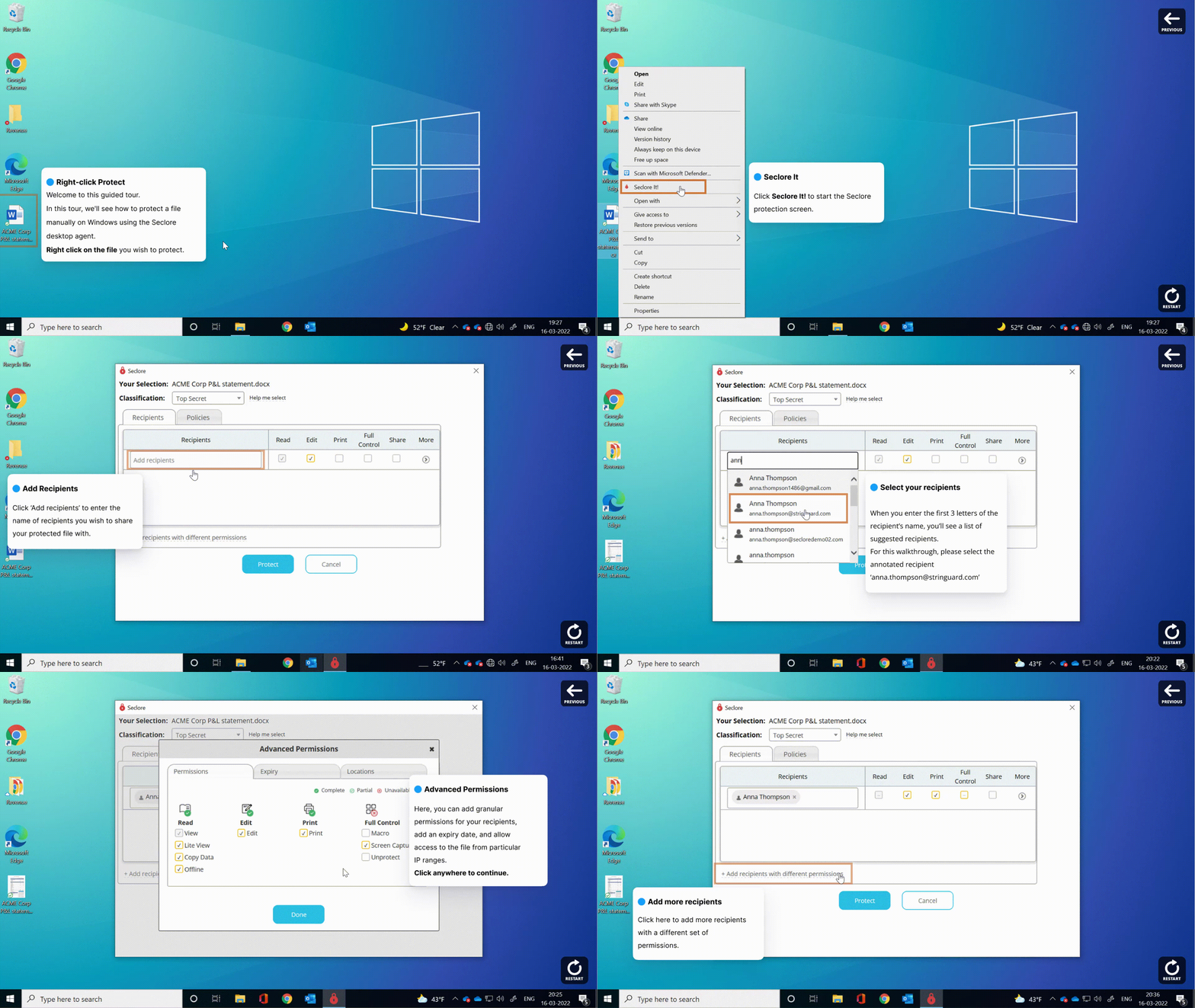
Click here to check out a guided walkthrough on how to protect files on Windows.
Go to the Seclore Adoption Portal for more walkthroughs, bite-sized videos, and help articles.

Ayaan has been a part of technical communication for more than five years, with his expertise in product content, visual communication, technical documentation, and wiki management. He approaches problems with a customer-first approach and finds simple and easy-to-implement solutions. He keeps exploring new and innovative ways and tools to make documentation interesting and easy to consume. In his personal space, he is into amateur astronomy and likes to travel to the mountains.